
National Address Print in Saudi Arabia — How to Print Your National Address
National Address Print lets you obtain a printable document that proves your registered residential address in Saudi Arabia. SPL provides this service through its online platform and mobile app. You can also access address proof through other supported channels.
The National Address document contains key location details linked to your registered address. These details help with mail, shipments, government services, and other transactions. Saudi Arabia’s National Platform confirms that users can preview and print proof of their residential address.
National Address Print Tool
Enter your National Address details below to generate a printable address document.
This guide explains how to print your National Address online, save the document, and use the SPL app. It also covers PDF downloads, address proof, and common printing problems. You will find clear steps for citizens and residents.
What Is National Address Print?
National Address Print means obtaining a printable document that shows your registered address in Saudi Arabia. SPL provides access to this document through its digital services. The Saudi National Platform also confirms that users can print proof of their residential address.
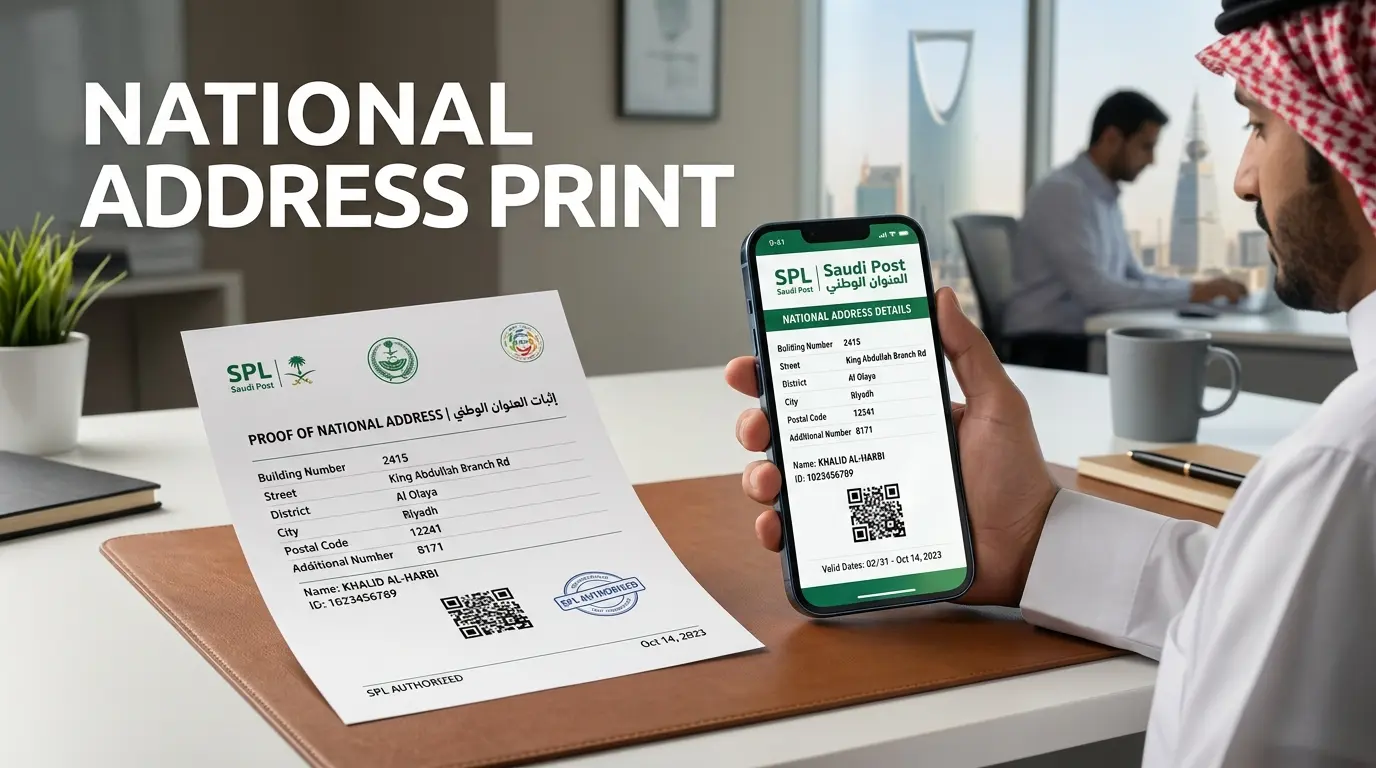
Viewing your Saudi National Address only shows your address details. Printing creates a document that you can save or use as address proof. You may need this document for banking, government services, shipping, registration, or other official transactions.
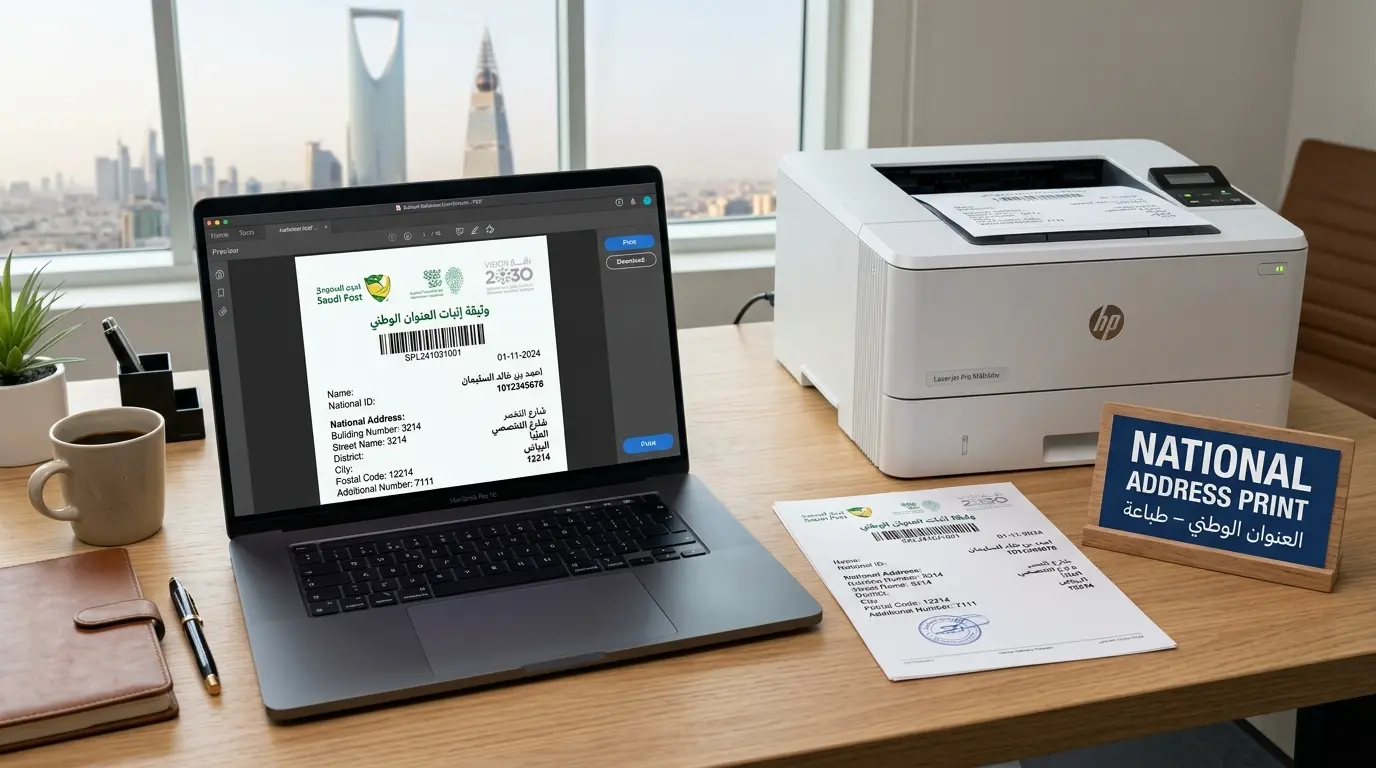
You can keep a digital copy on your phone or computer. You can also print a physical copy when an organization requests one. The National Address helps identify your exact location across Saudi Arabia. It supports mail, documents, shipments, and other location-based services.
What Information Is Included in the National Address?
A National Address contains several details that identify your location:
- Building Number: Identifies the specific building.
- Street Name: Shows the street where the building stands.
- District: Identifies the local neighborhood or district.
- City: Shows the city linked to the address.
- Postal Code: Provides the five-digit postal area code.
- Additional Number: Adds more precise location information.
- Unit Number: Identifies a specific unit when applicable.
- Short Address: Uses four letters and four numbers for easier sharing.
SPL lists the main National Address components as the building number, street, district, postal code, additional number, and city.
How to Print National Address Online in Saudi Arabia
You can print National Address online through SPL Online without visiting an SPL branch. The official SPL process requires you to sign in before accessing your address proof. You can use your account credentials or Nafath for authentication.
Step 1 — Open the Official SPL Service
Start by opening the official SPL Online website. Use the official SPL platform when accessing your National Address. This helps protect your personal address information and reduces the risk of using unofficial services.
SPL identifies itself as the new identity of Saudi Post. It continues to provide postal and logistics services across Saudi Arabia.
Step 2 — Sign In to Your Account
Sign in to your SPL account using your available login method. SPL supports login with your username, personal ID, or Iqama number and password. You can also use Nafath for authentication.
Your ID number alone does not automatically produce a National Address copy. The service requires account access or an approved authentication method.
This step protects your address data and ensures that you access the correct National Address record.
Step 3 — Open National Address
After signing in, open the National Address section in your SPL account.
Your registered addresses will appear there. SPL allows users to manage their National Address records through its website and app.
If you have more than one address, review the available records before continuing. Choose the address that needs the printable proof.
Step 4 — Select the Address
Find the address you want to use for your Saudi National Address Print request.
Select the available options for that address. Make sure the displayed details match your intended residential address.
This check matters when you have multiple registered addresses. SPL allows citizens and residents to maintain more than one National Address record within its service limits.
Step 5 — Select the Proof or Print Option
Select the option associated with obtaining proof for the chosen address. SPL’s official FAQ confirms that users can select an address and request its Proof of National Address.
The Saudi National Platform describes the same service as a way to preview proof of your residential address before printing it.
This document provides an official representation of your registered residential address. You can then use the National Address document when an organization requests address proof.
Step 6 — Print or Save the Document
Review the document before printing. Use your browser’s Print Preview to check the page layout and address details.
You can then:
- Send the document to a connected printer.
- Save it as a PDF when your device provides that option.
- Keep a digital National Address copy for future use.
- Print another copy when an organization requires a physical document.
The Saudi National Platform states that the proof can be previewed and printed.
If you need a digital copy, saving the printable document as PDF can make future sharing easier. Always check the saved file before sending it to a bank, government agency, or other organization.

How to Download National Address as a PDF
A National Address PDF gives you a convenient digital copy of your address document. You can save the printable document on your phone or computer. This makes it easier to keep a copy for future use.
SPL provides access to proof of your National Address through its digital services. The Saudi National Platform also confirms that users can preview and print their residential address proof.
Can You Save National Address as PDF?
Yes. After opening your National Address document, you can use your device’s standard print function. Most modern browsers provide an option to save the document as a PDF.
The exact options can vary by browser, computer, or mobile device. Do not rely on an unofficial National Address PDF download website. Use the official SPL service to access your address document.
A saved National Address digital copy can help when you need to submit your address online. You can also print the file later when a physical copy is required.
How to Print National Address PDF
Follow these simple steps:
- Open your National Address document through the official SPL service.
- Select the print option from the document or your browser.
- Choose a printer if you want a physical copy.
- Select the PDF option if you want to save a digital file.
- Save the file to your computer or mobile device.
- Open the saved PDF and check that all address details remain readable.
Your printable National Address should display the relevant address information clearly. Keep the saved file secure because it contains personal address information.
How to Print National Address From the SPL App
You can also access your National Address through the SPL mobile app. This option helps users manage their address while using a phone. SPL confirms that users can obtain address proof through its app.
Print National Address From Your Mobile
Open the official SPL app on your mobile device and sign in to your account. Then open the National Address section from the available services.
Select the relevant address from your registered addresses. If you have multiple addresses, choose the one you need for your document.
Next, access the available proof or document option. You can then use your device’s available sharing, saving, or printing features.
The exact print options can vary by device and operating system. You can save the document first if your phone does not connect directly to a printer.
This process makes it easier to print National Address from mobile without using a desktop computer. It also supports the common search intent طباعة العنوان الوطني من الجوال.
How to Print National Address Proof
Proof of National Address is a document that confirms your registered residential address. It provides more than simply viewing your address details online.
The Saudi National Platform states that its National Address service allows users to preview and print proof of their residential address.
You can obtain the proof through supported SPL digital services. After authentication, open your National Address and select the relevant address. Then access the available proof option.
You can review the document before printing it. You may also save the printable document as a digital file when your device supports that option.
A National Address proof document can help when an organization requests residential address evidence. You may need it for banking, government procedures, registration, delivery, or other official transactions.
If you need a digital copy, save the printable document as a National Address proof PDF. Keep the file secure because it contains personal address information.
This process covers the intent behind print National Address proof, طباعة إثبات العنوان الوطني, and إثبات العنوان الوطني without confusing proof with simple address lookup.
Can I Print National Address With National ID or Iqama?
Yes, you can access your National Address using your National ID or Iqama. However, the ID number does not bypass authentication. SPL requires you to sign in with your account credentials or use Nafath.
SPL’s official FAQ lists username, National ID, or Iqama with a password as login methods. Nafath also provides an approved authentication option.
After signing in, open National Address and select the address you want to print. You can then access its proof document.
This means a search such as print National Address with ID refers to an authenticated service. It does not mean you can enter an ID on any public page and download an address document.
Can Residents Print Their National Address?
Yes. Residents can access their registered National Address using their Iqama details and supported authentication methods. SPL specifically includes the Iqama number as an account login identifier.
The process supports the intent behind National Address print by ID and طباعة العنوان الوطني برقم الهوية. Residents can also follow the same official process for طباعة العنوان الوطني للمقيم.

National Address Print for Individuals and Businesses
SPL supports National Address services for both individuals and business entities. The exact account and service options can differ by user type.
National Address Print for Individuals
Individuals can access their registered address through SPL Online or the SPL app. They can select an address and request its proof document.
This covers individual National Address print for citizens and residents. Users can keep a digital copy or print the document when needed.
National Address Print for Businesses
Businesses can also maintain an official National Address for their organization. SPL describes official business address services as covering address registration, renewal, updates, and proof printing.
A business National Address print can provide a company National Address print or National Address business document when the organization needs address proof.
The requirements depend on the business account and service. Avoid using an individual account flow for business transactions.
What Is National Address Proof Used For?
National Address proof confirms the residential address registered with the National Address system. Saudi Arabia’s National Platform states that the printed document represents the beneficiary’s residential address.
Organizations may request this proof during different procedures. These can include banking services, government transactions, employment processes, registration, and business applications.
A National Address proof for bank may help confirm the address linked to your records. Government agencies may also request address evidence during certain services.
The document can also support shipping and delivery processes. SPL explains that the National Address helps deliver government documents, personal shipments, and commercial shipments to the correct location.
The exact requirements depend on the organization. Always check which document format the receiving organization accepts before submitting your National Address document for registration or National Address proof for delivery.
National Address Print Not Working? Common Problems and Solutions
A National Address Print issue can often come from login, browser, or document access problems. Start with the official SPL service and confirm your address appears correctly. SPL supports National Address access through its website and app.
National Address Document Is Not Showing
First, confirm that you completed the SPL login process. You can sign in with your account details or use Nafath.
Then open the National Address section and select the correct address. If you have multiple addresses, check each available record.
If the proof option still does not appear, try signing out and signing in again. You can also try the SPL app instead of the website.
National Address PDF Is Not Downloading
Check whether your browser blocks downloads or pop-ups. Try another supported browser if the file does not open.
On mobile, check your device storage before downloading the file. You can also open the document again and use the browser’s print function.
If the National Address PDF still fails, save the document from another device when possible.
I Cannot Print My National Address
Check that your printer connects correctly to your computer or phone. Then open Print Preview before sending the document to the printer.
If printing fails, choose the PDF option first. Save the file and print the saved copy.
You can also try another browser or device. This can help identify whether the issue comes from your current setup.
My National Address Information Is Incorrect
Do not use the print service to fix incorrect address details. You should update the address through the appropriate SPL service.
The official National Platform provides an Update Address option for changing address information.
National Address Print vs Registration, Update, and Verification
These National Address services have different purposes. Understanding the difference helps you choose the correct service.
| Service | Purpose |
| National Address Registration | Creates a registered National Address |
| National Address Update | Changes existing address information |
| National Address Verification | Confirms or checks address information |
| National Address Print | Provides printable proof of the registered address |
National Address Print focuses on obtaining your address document or proof. It does not create a new address.
If you need to create an address, use Register National Address. If your address details changed, use Update National Address. For checking address information, use National Address Verification.
The Saudi National Platform confirms that users can manage registered addresses and print proof of their residential address.
This separation also keeps your National Address content organized. Each page can answer one clear search intent without competing with the others.
Saudi National Address and Postal Codes
Your Saudi National Address includes location details that help identify a specific property. The official SPL system includes the building number, street, district, city, postal code, and additional number.
The postal code forms one part of the National Address. It contains five digits and relates to the property’s geographic location. The exact code depends on the registered address and location.
For example, users may need location-specific information such as a Riyadh Postal Code, Jeddah Postal Code, or Dammam Postal Code. These codes should match the address record rather than a generic city assumption.
You can also use National Address Verification when you need to confirm your address details. If any information has changed, use the appropriate Update National Address service instead.
Keeping these details accurate helps with deliveries and official communications. SPL states that the National Address supports government documents, personal shipments, and commercial shipments.
Frequently Asked Questions About National Address Print
How do I print my National Address?
Sign in to the official SPL service and open your National Address. Select the relevant address and choose the proof option. You can then preview and print the document.
Can I print my National Address online?
Yes. The Saudi National Platform provides an online service for managing registered addresses and printing residential address proof.
How can I download my National Address?
Open your address proof through the official service. Use your browser or device’s available save or download options to keep a digital copy.
Can I download National Address as PDF?
You can use the print function and select a PDF option when your browser or device provides one. Check the saved file before sharing it.
How do I print National Address from SPL?
Log in to SPL, open the National Address section, and select the required address. Then access the proof option and print the document. SPL also supports National Address services through its app.
Can I print National Address from my mobile?
Yes. SPL lists its app as a service channel. You can access your National Address and use your phone’s available save or print options.
Can I print National Address with my National ID?
Your National ID can support account authentication, but the ID alone does not bypass the login process. SPL also supports authentication through approved login methods.
What is Proof of National Address?
It is a document that represents your registered residential address. The Saudi National Platform states that users can preview and print this proof.
What should I do if my National Address document does not appear?
First, confirm your login and check the National Address section. Select the correct address if you have multiple records. You can also try the SPL app or another browser. If the address itself needs correction, use the appropriate address-management service.
Final Thoughts on National Address Print
National Address Print gives citizens and residents a simple way to obtain address proof online. SPL provides National Address services through its digital channels.
Keep a secure digital copy when you may need the document again. Print a physical copy when an organization requests one.
If your address details need changes, use the correct registration, update, or verification service. This keeps your National Address accurate and ready for official use.