
Update National Address in Saudi Arabia: Complete SPL Guide 2026
Your National Address identifies your location in Saudi Arabia. Update National Address details when your residence changes or existing information becomes incorrect. You may need an update after moving to a new home, apartment, villa, district, or city. You may also need to correct a building number, street, district, city, or postal code.
Saudi Post | SPL provides the main online service for managing National Address records. You can modify an existing address through SPL Online or the SPL app. The official process lets you select your address, edit its details, review the information, and confirm the changes.
Update National Address
Review your Saudi National Address details before updating them.
Your information has passed the basic format checks.
Updated National Address Preview
Before You Update
Use the official SPL service to make the actual National Address change.
Keeping your address accurate supports deliveries and many official and commercial transactions. SPL also connects National Address services with government, banking, and other services.
This guide explains how to update your National Address step by step. It also covers address details, verification, moving, login options, and common update problems.
What Is the Saudi National Address?
The Saudi National Address is a standardized system that identifies a specific location in Saudi Arabia. SPL developed it to provide accurate addresses for homes, businesses, and other locations.
Unlike a simple mailing address, the National Address uses structured location data. This makes a property easier to identify for deliveries and digital services. SPL states that the system covers cities, villages, and regions across Saudi Arabia.
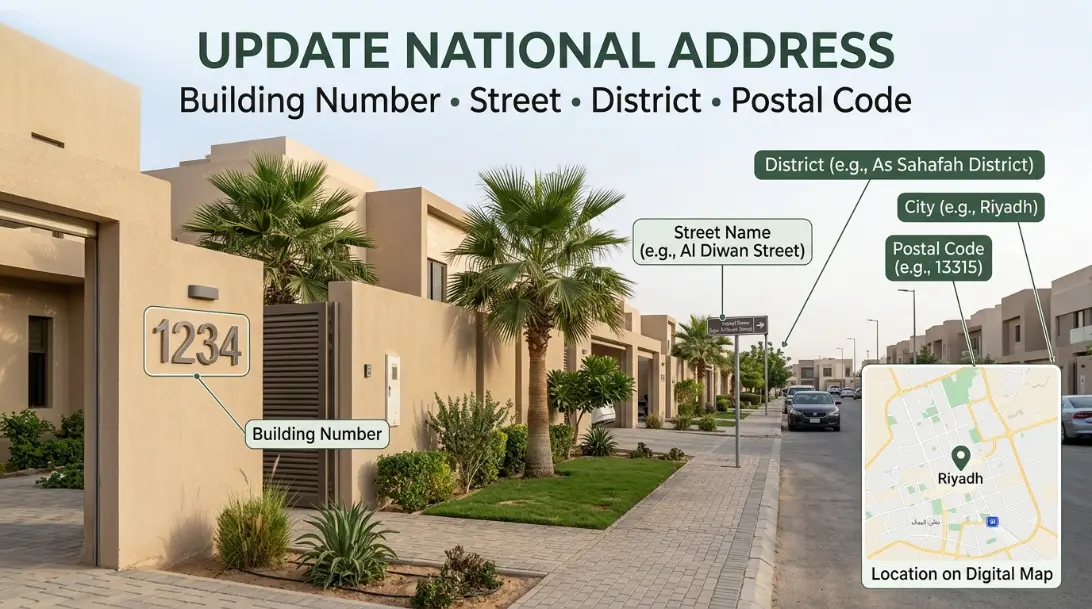
Saudi Post | SPL manages National Address services. Users can register, view, manage, modify, and verify their addresses through SPL services. The system also supports access to government, banking, insurance, and delivery services.
When you update your National Address, you change the location or details linked to your existing address record. Accurate information helps ensure that your registered location matches your actual residence or business location.
Main National Address Components
The National Address contains six core components:
- Building Number: A four-digit number that identifies the building.
- Street Name: Identifies the street where the building entrance is located.
- District or Neighborhood: Shows the area where the building sits.
- City: Identifies the city containing the address.
- Postal Code: A five-digit code linked to the location.
- Additional Number: A four-digit number that helps identify the precise location.
Your address may also include unit or apartment information when applicable. SPL also provides a Short Address, which uses four letters and four numbers. It offers a simpler way to share a National Address. These components work together to create a precise location record. You should check them carefully whenever you update your National Address.
Why Do You Need to Update Your National Address?
Your National Address should match your current location and address details. An update keeps your registered information accurate. SPL also states that accurate address data supports faster deliveries and access to services.
After Moving to a New Home
Moving to a new home changes your registered location. You should review your National Address and update it when needed. This helps delivery services locate your new residence correctly.
After Changing Your Apartment or Villa
A new apartment or villa may require updated address details. Check the building, location, and other registered information after moving.
After Moving to Another District
Your district forms part of your National Address. If you move to another neighborhood, update the registered address to reflect your new location.
After Moving to Another City
A city change affects several address details. You may also need to check the postal code linked to your new location. For example, you can review resources for Riyadh Postal Code, Jeddah Postal Code, or Dammam Postal Code when checking the postal-code component.
When Your Address Information Is Incorrect
You should also update incorrect details. These may include a wrong building number, street, district, city, postal code, or additional number. The official Saudi government service confirms that users can modify their registered National Address online.
Keeping these details accurate makes your National Address more reliable for everyday services.
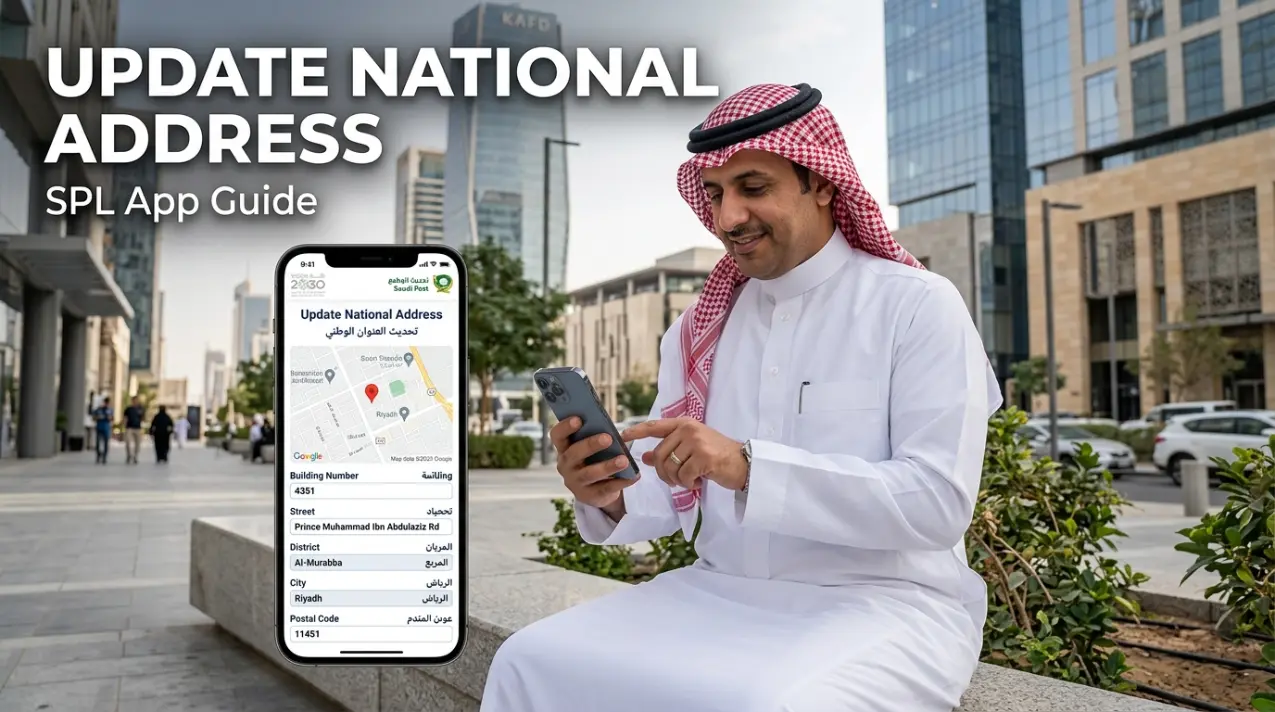
How to Update National Address in Saudi Arabia
You can update your registered National Address online through SPL Online or the SPL app. The official SPL process lets you select an existing address, edit its details, and confirm the changes.
Step 1 — Access the National Address Service
Open the official SPL Online website or the SPL app. Sign in to your National Address account to access your registered addresses. SPL lists both its website and app as channels for National Address services.
Use the official SPL platform when you want to update an existing address. Avoid third-party websites that claim to modify your National Address.
Step 2 — Sign In and Verify Your Identity
Log in with your account credentials or use Nafath when available. SPL confirms that users can access National Address services through their personal ID and password or Nafath.
Your login method depends on your account and service access. Citizens and residents can manage their registered addresses through their SPL account.
This means searches such as National Address login with Nafath, update National Address using ID, and update National Address using Iqama relate to account access and identity verification.
Step 3 — Open Your Registered National Address
After signing in, open the National Address section. Your registered addresses should appear there.
SPL also confirms that users can view their addresses after logging into the website or app.
Find the address that you want to change. Check the displayed details before opening the edit option.
Step 4 — Select the Edit or Modification Option
Select the address you want to change. Then choose Edit from the available options.
The SPL FAQ gives this exact process for both the website and app.
You can now Edit National Address, Modify National Address, or change the registered address details. The Saudi National Portal also confirms that the service lets users change an address without visiting a service center.
Step 5 — Update the Address Location and Details
Review the address information and update the fields that no longer match your location.
Depending on your address, check these details:
- Building Number
- Street Name
- District or Neighborhood
- City
- Postal Code
- Additional Number
- Unit or Apartment Information
SPL’s current process groups the modification around site selection and building details. You can locate the new address on the map or use address information.
Take extra care with the building number and location. A small error can affect address accuracy and delivery.
Step 6 — Review the Updated Address
Review every address component before saving. Make sure the location matches your current residence.
Check the building number, street, district, city, and postal code. Also review the additional number and unit details when they apply.
The review stage matters because your National Address creates a specific location record. Correct information helps you use the address for deliveries and other services.
Step 7 — Save and Confirm the Changes
After reviewing the information, save the updated address. SPL’s official modification process ends with reviewing and confirming the entered information.
Wait for the system to confirm the update. Do not close the process before the change saves successfully.
If you update an address after moving, check the new location again after saving.
Step 8 — Verify Your Updated National Address
Finally, verify the updated record in your SPL account. Confirm that the address shows the new information.
You can also use SPL’s National Address verification service when you need to confirm your registered address. SPL provides a separate verification service through its National Address services.
You may also need National Address proof for certain transactions. SPL provides a way to access proof of a registered National Address through its website and app.
A final check helps confirm that your National Address update reflects your current location before you use it for deliveries, banking, or other services.
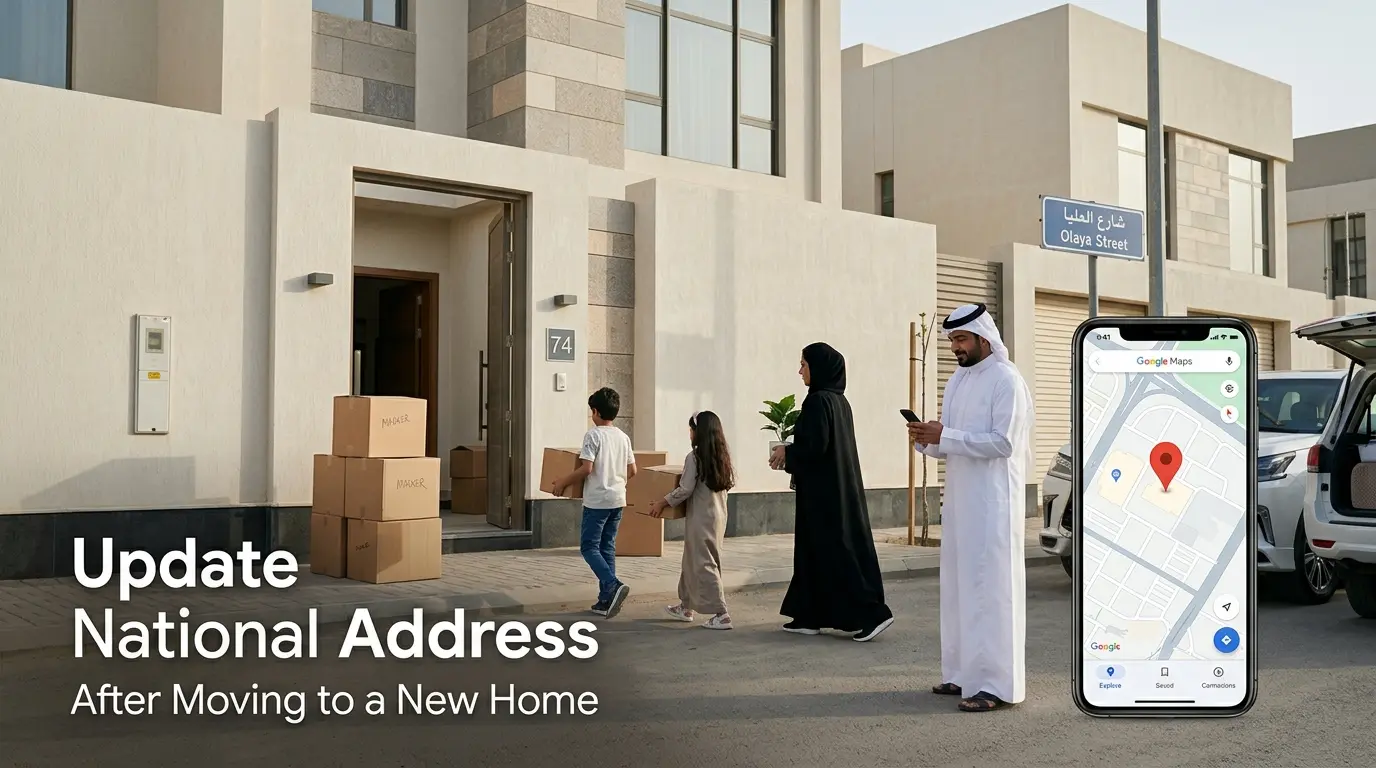
How to Update National Address Using the SPL App
The SPL app National Address service lets you manage your registered address from your mobile device. SPL confirms that National Address modification is available through the SPL app.
1. Open the SPL App
Open the official SPL app on your phone. Use the current version to access the latest National Address features.
2. Sign In
Log in to your SPL account. Complete the required identity verification before accessing your address information.
3. Open National Address
Go to the National Address service inside the app. Find the address registered to your account.
4. Select Your Existing Address
Choose the address that you want to change. Review the displayed information before editing it.
5. Edit the Required Information
Select the edit option and change the details that no longer match your location.
6. Update the Location or Details
Update the relevant location and address information. Check the building number, street, district, city, and other applicable details.
7. Review the Changes
Check the complete address before submitting the update. Make sure the location matches your current residence.
8. Save the Changes
Confirm and save the updated information. Wait for the app to confirm the change.
9. Verify the Updated Address
Open your National Address again and check the saved details. This final check helps confirm that your SPL app address update succeeded.
If you searched for update National Address using SPL app or change address through SPL, these steps cover the mobile process.
Can You Update Your National Address After Moving?
Yes. You can update your National Address when you move to a new residence. The Saudi government provides an online service for modifying an existing National Address.
Moving to a New House
A new home means your registered location may no longer match your residence. Review your National Address after the move and update it when needed.
Moving to Another Apartment
Check the building and unit information after changing apartments. Update any details that no longer match your new residence.
Moving to Another District
Your district forms part of your National Address. Update the address when your new home sits in a different neighborhood.
Moving to Another City
A city move can change several address components. Check the new location, city, and postal code before confirming the update.
Update Your Registered Residence
When you update your National Address after moving, use the new location instead of your previous residence. Review every component before saving.
This approach helps keep your new home National Address accurate. It also reduces problems with deliveries and services that rely on your registered address.
Which National Address Details Can You Change?
When you update your National Address, check each component carefully. The correct fields depend on what changed at your residence.
| Address Detail | What You May Need to Update |
| Building Number | Incorrect or changed building information |
| Street | Incorrect or changed street information |
| District | New neighborhood or district |
| City | Relocation to another city |
| Postal Code | Postal information linked to the address |
| Additional Number | Incorrect additional number |
| Unit Number | Apartment or unit changes |
| Short Address | Updated Short Address information |
Building Number
The building number identifies the specific building. Check it carefully when you move or find an incorrect number.
Street
The street name helps identify the building’s location. Update it when the registered street information does not match your location.
District
Your district or neighborhood shows the area’s local location. A move to another neighborhood may require updated district information.
City
A move to another city can change your registered address. Review the city before confirming your changes.
Postal Code
The postal code forms part of the National Address. Check that the code matches your updated location. A city can have multiple postal codes, so avoid assuming one code covers the entire city.
Additional Number
The additional number provides another location reference. Check it when your address information changes or contains an error.
Unit Number
Apartment residents may need to check their unit information. This becomes especially relevant after changing apartments within the same building.
Short Address
The Short Address provides a simpler format for sharing a National Address. Check the updated Short Address after changing your registered location.
SPL describes the National Address through structured components that help identify a precise location.
How to Correct an Incorrect National Address
An incorrect National Address can cause problems with deliveries and other services. SPL advises users to keep their address data accurate.
Start by opening your registered address through SPL Online or the SPL app. Select the address that needs correction, then choose Edit. SPL’s official process uses location selection, building details, review, and confirmation.
Check the building number if the registered number does not match your property. Review the street name if the street information looks incorrect. You should also check the district and city.
Review the postal code against your actual National Address. Do not assume every property in a city uses the same code.
Also check the additional number and apartment or unit information when applicable. Correct every inaccurate field before confirming the change.
This process supports a proper National Address correction and helps fix issues such as a wrong building number National Address, incorrect street name, wrong district, or incorrect postal code.
How to Verify Your Updated National Address
After you update your address, verify the saved information. This check confirms that your registered location reflects your current address.
Log in to SPL Online or open the SPL app. Open your National Address and review the updated record. SPL provides National Address proof verification and address management through its digital channels.
Check the building number, street, district, city, postal code, and additional number. Make sure the location also matches your actual residence.
You should also check your Short Address after an address change. SPL describes the Short Address as a simple code made from four letters and four numbers.
If you need official National Address proof, SPL allows users to print proof through SPL Online or the SPL app. You can also request proof through SPL’s virtual assistant.
This final National Address verification helps confirm that your update saved correctly. Keep the proof when another service requires evidence of your registered address.
What If Your National Address Is Not Updating?
Sometimes an address change may not appear as expected. Start by checking the information you entered before trying another update.
Address Changes Are Not Saving
Review the location and building details again. SPL’s modification process requires site selection, building details, review, and confirmation.
Incorrect Address Information Appears
Open the registered address and compare it with your current location. Edit any incorrect details through SPL.
Building Number Is Wrong
Check the building information before confirming the update. A wrong building number can affect location accuracy.
Location Does Not Match the Residence
Use the map or address information to select the correct location. The Saudi government service specifically provides both options.
Login or Verification Problems
Try signing in through your SPL account or Nafath. If access still fails, contact SPL support instead of using an unofficial workaround.
Updated Address Is Not Showing
Log out and check your National Address again. If the change still does not appear, contact SPL support.
Mobile Number or Contact Information Problems
SPL provides a separate process for changing the mobile number linked to your account. Follow the official account settings process rather than changing address details to fix a phone issue.
Do You Need Nafath or Absher to Update Your National Address?
SPL is the main platform for managing and modifying your National Address. Its official FAQ confirms that users can modify an address through SPL Online or the SPL app.
SPL
Use SPL Online or the SPL app to view and modify your registered National Address. The modification process includes selecting the address, editing its details, and confirming the changes.
Nafath
Nafath provides an authentication option for SPL access. SPL states that users can sign in with their username or personal ID and password, or through Nafath.
So, searches for National Address login with Nafath relate mainly to identity verification and account access.
Absher
Absher is not the primary platform for modifying the National Address. SPL’s official FAQ lists Absher as another way to view a National Address.
For an actual National Address update, use the official SPL service. This distinction helps you avoid following the wrong service for an address change.
National Address vs Postal Code: What’s the Difference?
A National Address identifies a complete location in Saudi Arabia. It combines several details into one standardized address record.
A postal code is one component of that address. SPL defines it as a five-digit code within the National Address system. Other components include the building number, street, district, city, and secondary number.
These terms are related, but they are not interchangeable. A postal code alone does not provide the complete location of a property.
You should use the postal code linked to your specific National Address. Do not assume one code applies to an entire city.
If you need to check the postal-code part of your address, you can use our city guides for Riyadh Postal Code, Jeddah Postal Code, Dammam Postal Code, Makkah Postal Code, Madinah Postal Code, Khobar Postal Code, or Al Ahsa Postal Code. You can also check our guides for Jubail, Taif, Tabuk, Abha, Khamis Mushait, Yanbu, Hail, Jazan, Najran, and Buraidah Postal Codes.
This distinction helps you update the correct address information without confusing the postal code with your full National Address.
Why Keeping Your National Address Updated Matters
An accurate National Address helps services identify your current location. SPL says the system supports faster shipment delivery and easier access to government, banking, and insurance services.
Government Correspondence
Government documents can use your National Address for delivery. SPL provides delivery services for documents from several government agencies.
Banking and Financial Services
Banks and financial institutions may use address information for verification and service-related transactions. An accurate address reduces confusion when a service requires your registered location.
Deliveries and Online Shopping
Couriers need accurate destination information to deliver packages. SPL describes the National Address as important shipment information that helps avoid delivery delays.
Official Documents and Business Correspondence
Your address can support personal and business transactions. SPL also provides National Address services for individuals, businesses, and government entities.
Address Verification
Keeping your record current also makes address verification more reliable. You can manage your address and access National Address proof through SPL services.
For these reasons, update your National Address whenever your location or registered details change. Accurate information keeps your address useful across everyday services.
Frequently Asked Questions About Updating National Address
How do I update my National Address in Saudi Arabia?
Log in to SPL Online or the SPL app. Open your National Address, select the address, and choose Edit. Update the location and building details, then review and confirm the changes.
Can I change my National Address online?
Yes. Saudi Arabia provides an online service for modifying a registered National Address. You can complete the process through the SPL website without visiting an SPL branch.
Can I update my National Address after moving?
Yes. Update the registered address after moving to a new home, apartment, district, or city. Select your new location and review the address details before saving the change.
How do I edit my National Address through SPL?
Sign in to SPL Online or the SPL app. Open your National Address and select the address you want to modify. Choose Edit, update the required information, then review and confirm it.
Can residents update their National Address?
Yes. SPL provides National Address services for citizens and residents. Residents can access their address through SPL using their account and the available authentication options.
Can I update my National Address with an Iqama?
Yes. SPL lists the Iqama as an identity document for National Address services. Residents can use their SPL account and the available login or authentication method to manage their address.
Do I need Nafath to update my National Address?
Nafath is an available authentication option for SPL access. SPL also lists username, personal ID, or Iqama with a password as login options.
Can I change my building number in the National Address?
You can edit your National Address details through SPL. The modification process includes selecting the location and entering building details before reviewing and confirming the update.
Can I change my postal code in the National Address?
The postal code forms part of the National Address. When modifying your address, review the complete address information and confirm that the location details match your actual residence.
How do I correct an incorrect National Address?
Open your registered address through SPL Online or the SPL app. Select Edit, correct the relevant information, review the address, and confirm the changes.
How can I verify my updated National Address?
Open your National Address after saving the changes and check the registered details. SPL also provides National Address Proof Verification and address verification services.
What should I do if my National Address does not update?
First, review the location and building information and try the official SPL process again. If the problem continues, contact SPL customer support rather than using an unofficial workaround. SPL lists 19992 as its customer service number.
Final Takeaway
Updating your National Address keeps your registered location accurate. Make the change after moving or whenever you find incorrect information.
Use the official SPL National Address service through the website or app. Review your building number, street, district, city, postal code, additional number, and other relevant details before confirming the change.
After saving, verify the updated record and obtain National Address proof when needed. If you need to check the postal-code component, use the guide for your specific city rather than relying on a general city code. Check your National Address today and update any details that no longer match your current location.